
-
Dashboard
See how many members have not paid
The band at the top counts the unpaid fees and takes you there in one click. That is the starting point : not going through a list, but following the pill.
The Members card says the same in detail : paid, partial, unpaid. A partial payment is not arrears while the rest is still within the deadline ; it becomes arrears once the deadline has passed.
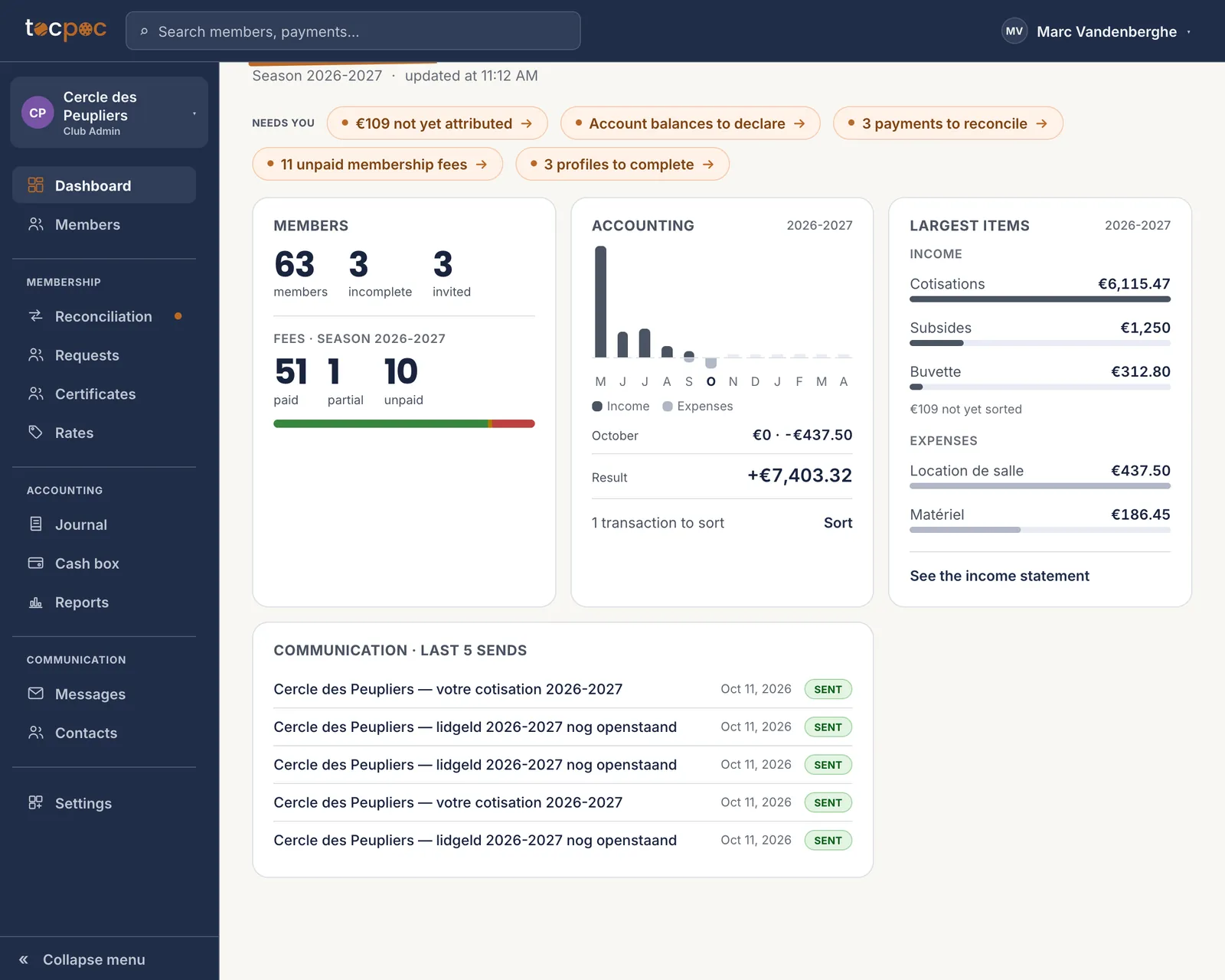 1The unpaid fees
Every pill is a link. That one opens the list of who still owes. - 1 The unpaid fees
-
Membership · Reconciliation
Reconcile the statement before you chase
Do this first, always. A reminder that reaches someone who paid last week costs you more than the three unpaid fees you recover.
Drop your bank’s statement in. Transfers carrying the structured reference are matched on their own ; the others are offered with the reason shown, and you decide in one click.
The detail is here : import your bank data.
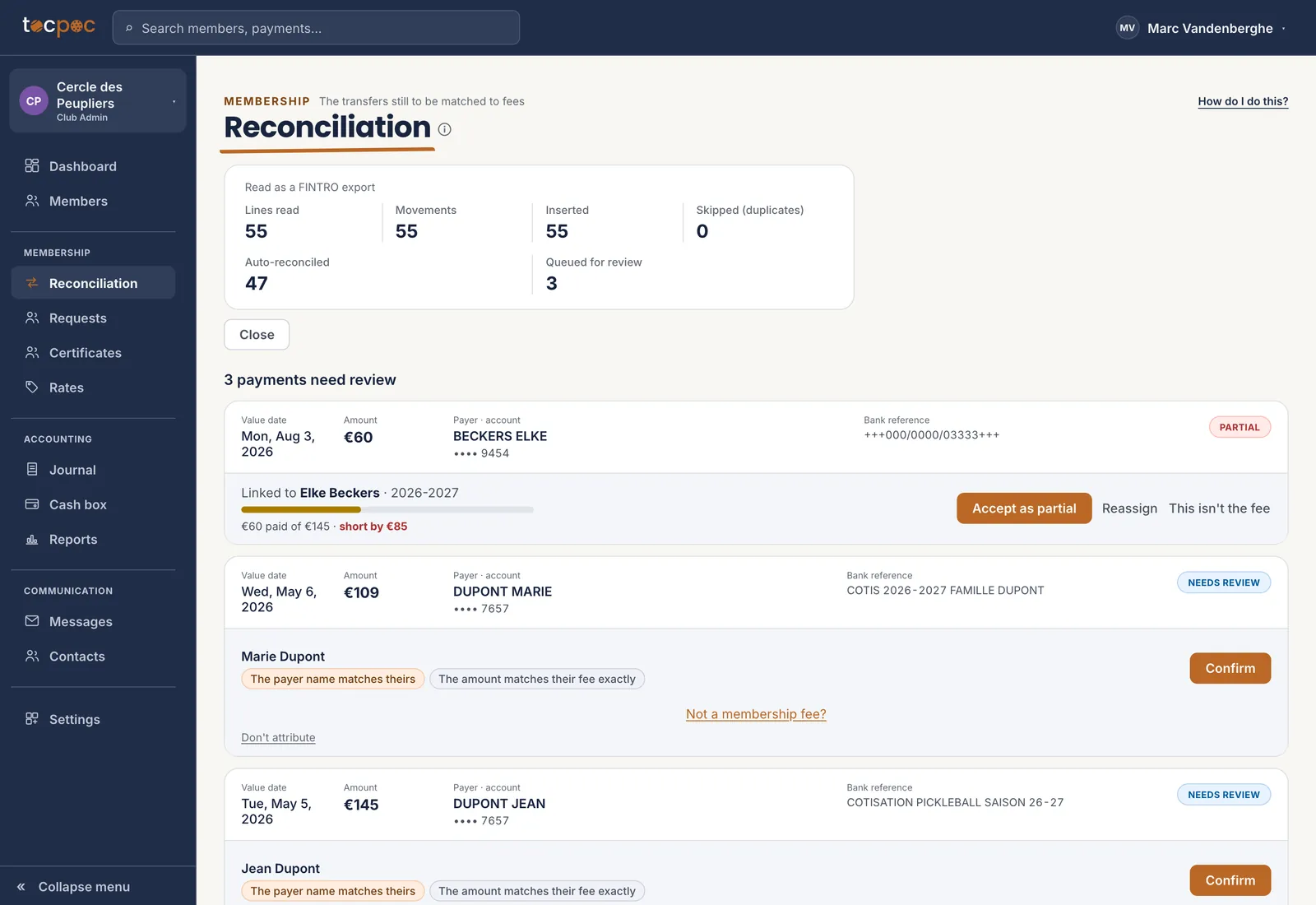 1What was read
2What is left to decide
1What was read
2What is left to decide
What matches on its own you never have to look at. The rest is short. - 1 What was read
- 2 What is left to decide
-
Members
Check who still owes
The fee-status filter isolates the unpaid ones. That is your list, and it is shorter than you feared after the reconciliation.
Go through it once before sending anything. A member who paid in cash, a waiver the committee granted, someone who left the club in September : those are the three cases a list always contains, and you would rather see them here than in a reply.
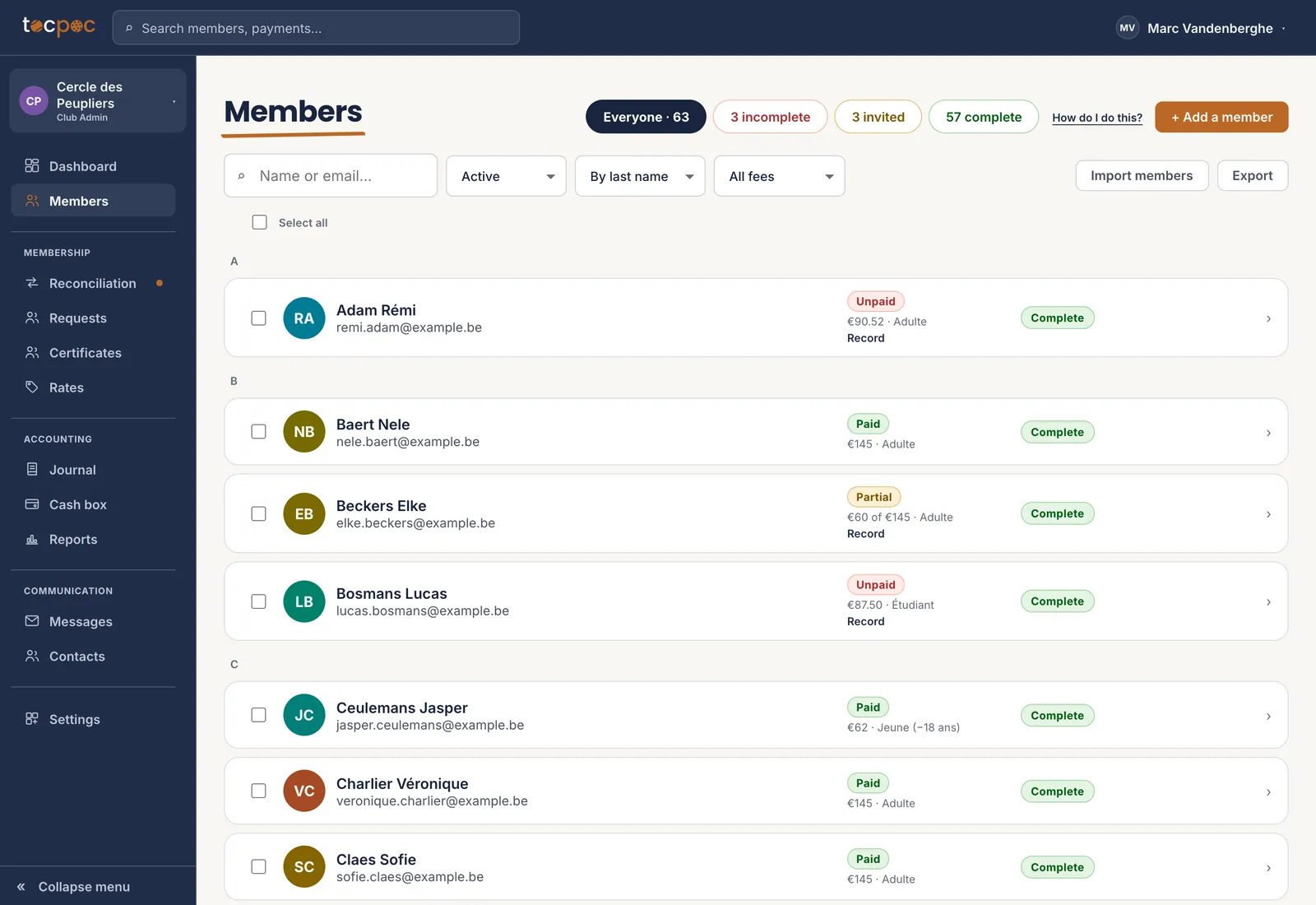 1The status filter
The status is on the line, next to the amount and the rate. - 1 The status filter
-
Communication
Select, and pick the template
Tick whoever you are chasing, then « Send a reminder ». The window shows you the message before it leaves, with each person’s amount and structured reference in it.
Each member gets the message in their own language, not in yours. Seven in French and four in Dutch go out together, and you have nothing to pick : it is on their profile.
The template’s text can be changed without asking anyone : it is a row in the database, not a piece of the program.
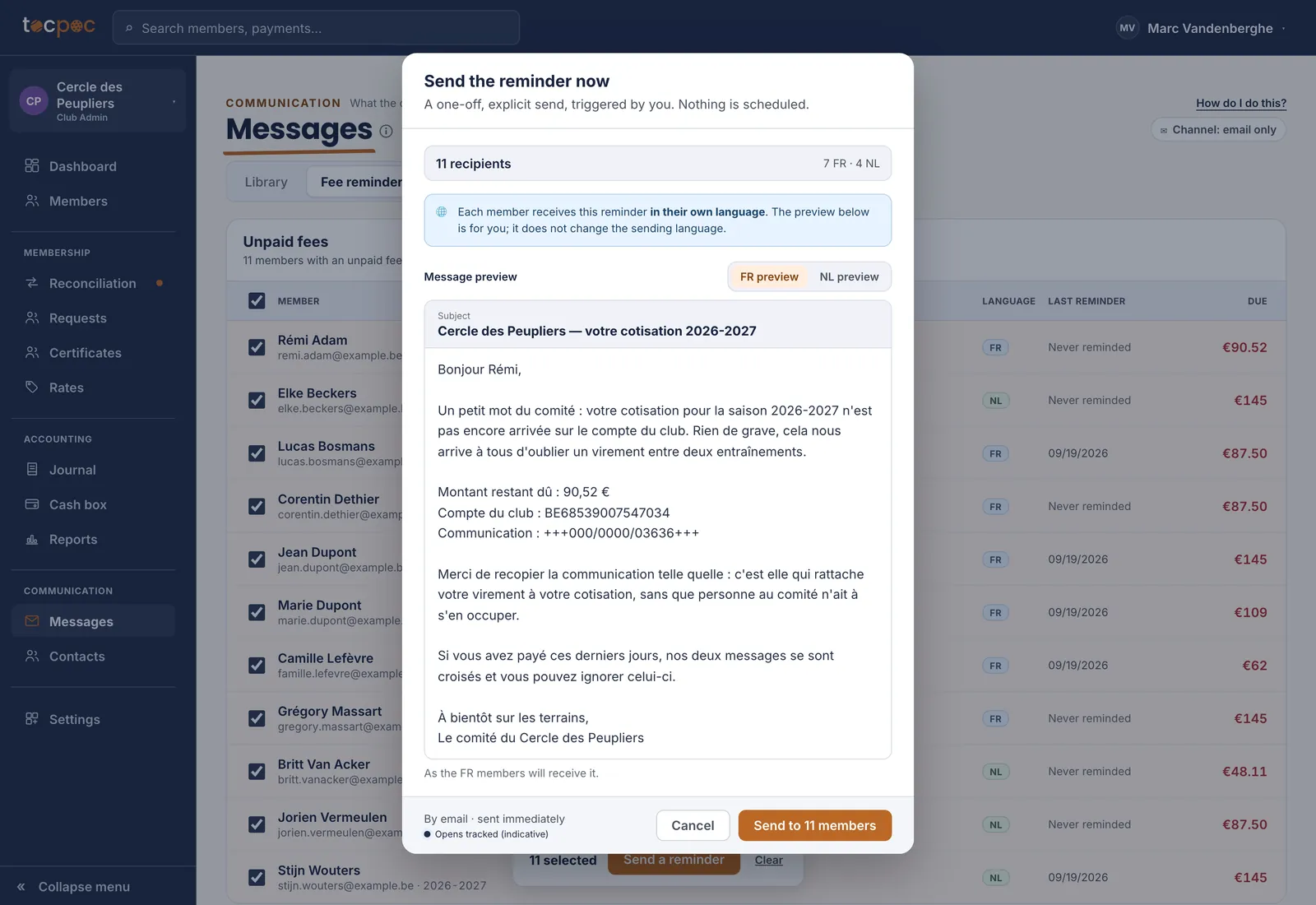 1Seven in French, four in Dutch
2Nothing leaves before this click
1Seven in French, four in Dutch
2Nothing leaves before this click
The number of recipients and their languages are at the top. Nothing leaves before the last click. - 1 Seven in French, four in Dutch
- 2 Nothing leaves before this click
-
Communication · History
Send, then check
The send is done in bulk, and the history keeps track of what left, to whom and when. The « last reminder » column in the list updates straight away.
Nothing leaves before that click. You can prepare the selection one evening and send the next day.Allow ten days or so before chasing a second time. Past two reminders with no answer, a phone call does more than a third email.
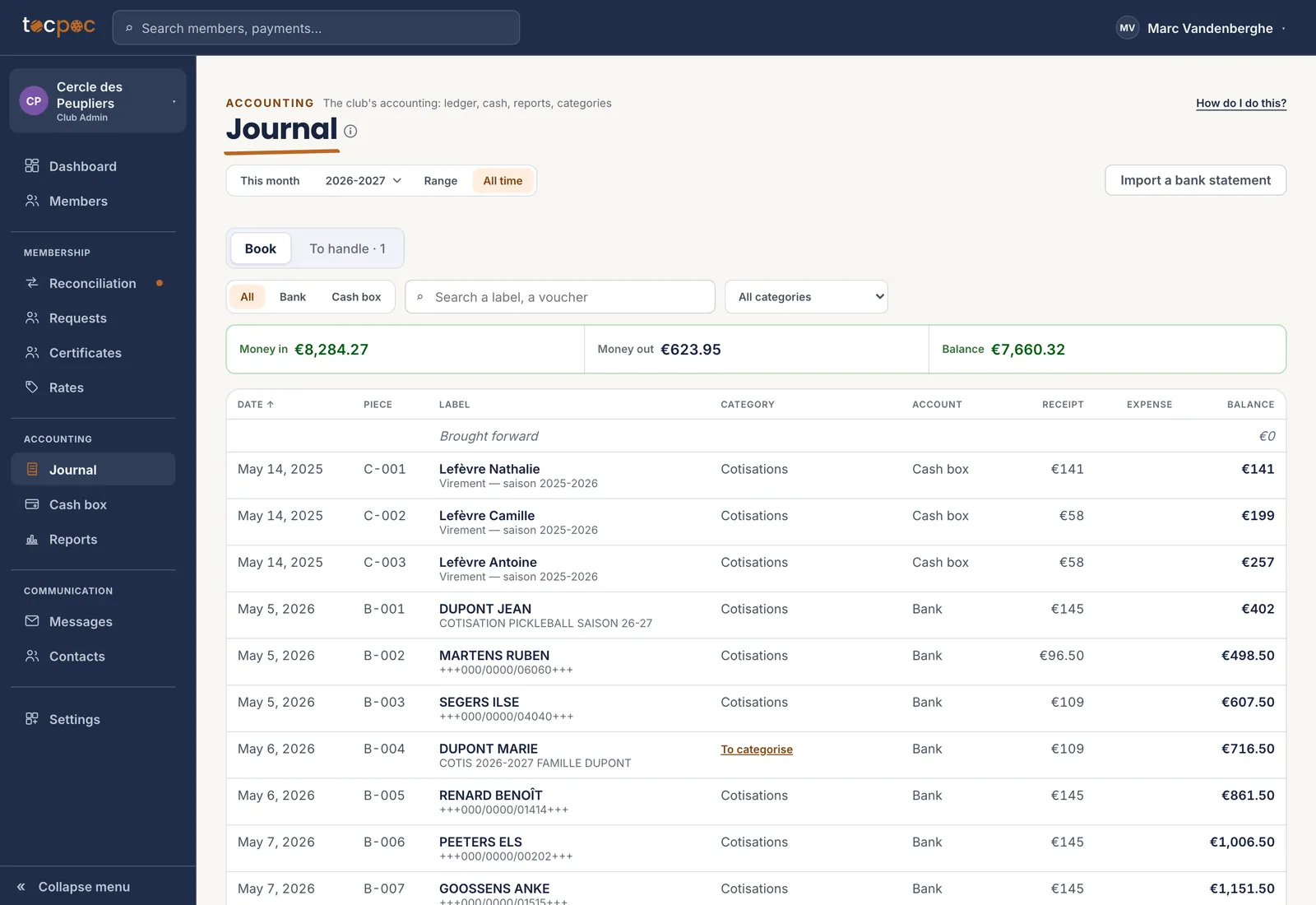 1What has come in since
2Sorted without you typing anything
1What has come in since
2Sorted without you typing anything
The payments that come in afterwards sort themselves : the reminder has done its job. - 1 What has come in since
- 2 Sorted without you typing anything
The 5 steps
- See how many members have not paid
- Reconcile the statement before you chase
- Check who still owes
- Select, and pick the template
- Send, then check
All the help pages
The pages to forward to your members are in the members’ help, in English, French, Dutch and German.