
-
At your bank
Go and get the statement
In your online banking, open the club account’s history and look for « Export », « Download » or « Save ». Take the CSV. A PDF is read by the eye, not by a machine.
- The club account, the one the fees arrive on. The statement carries its number, and the app remembers it : you will never type your IBAN.
- A generous period. Taking a month you have already imported costs nothing : each line carries its fingerprint, and a line already in does not come in twice.
- Credits and debits. An export limited to incoming lines deprives the accounts of half their journal.
Many banks also offer the CODA format. That is not the one : take the CSV.
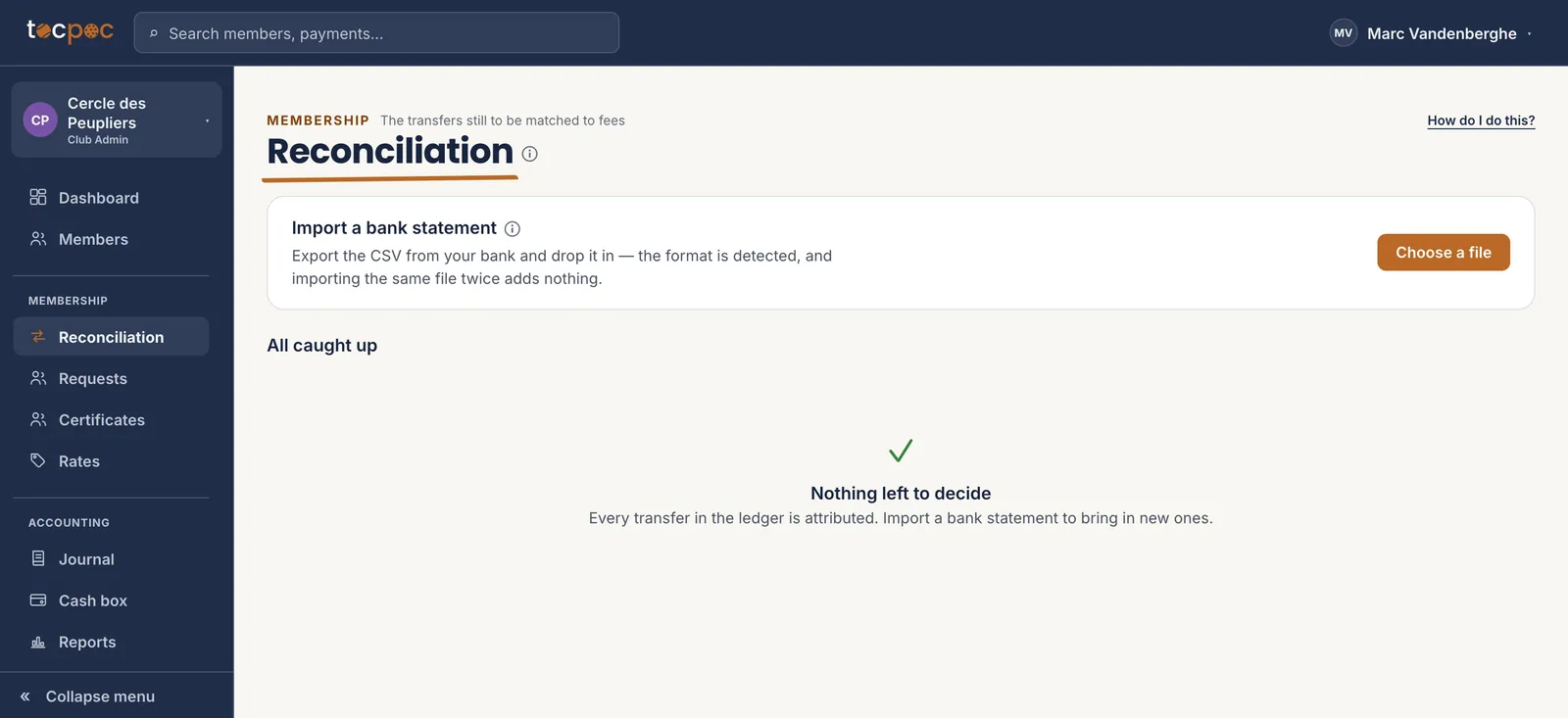 1What the screen expects
The screen says it itself : a CSV exported from your bank, and nothing else to prepare. - 1 What the screen expects
-
Membership · Reconciliation
Drop the file in
« Choose a file », and that is it. The format is recognised on its own, the lines come in, and a band tells you how many were read, how many were new, and how many were matched to a fee without you stepping in.
The same screen then does the sorting. Nothing goes anywhere else : fee transfers are matched here, and the rest drops into the accounting journal.
You can drop the same file ten times. The tenth import creates zero duplicates : that is checked line by line, not by guesswork.
1Opens the file picker
One button, and the file is read on the spot. - 1 Opens the file picker
-
When the format is not recognised
Have your bank added
Two formats are read today without asking anything : Fintro and ING. For the others, the screen says so plainly instead of guessing. That is deliberate : a misread amount costs more than a refused file.
« Help us add your bank » sends a sample of your file. Names and account numbers are replaced before it leaves ; the dates, the amounts and the structure stay, because that is exactly what it takes to write the reader. As soon as your bank is added, your statements come in like the others.
Another refusal is possible : « this statement comes from account…, which does not belong to this club yet ». A club may own several accounts. That one is added in a click, and you will still not have typed an IBAN.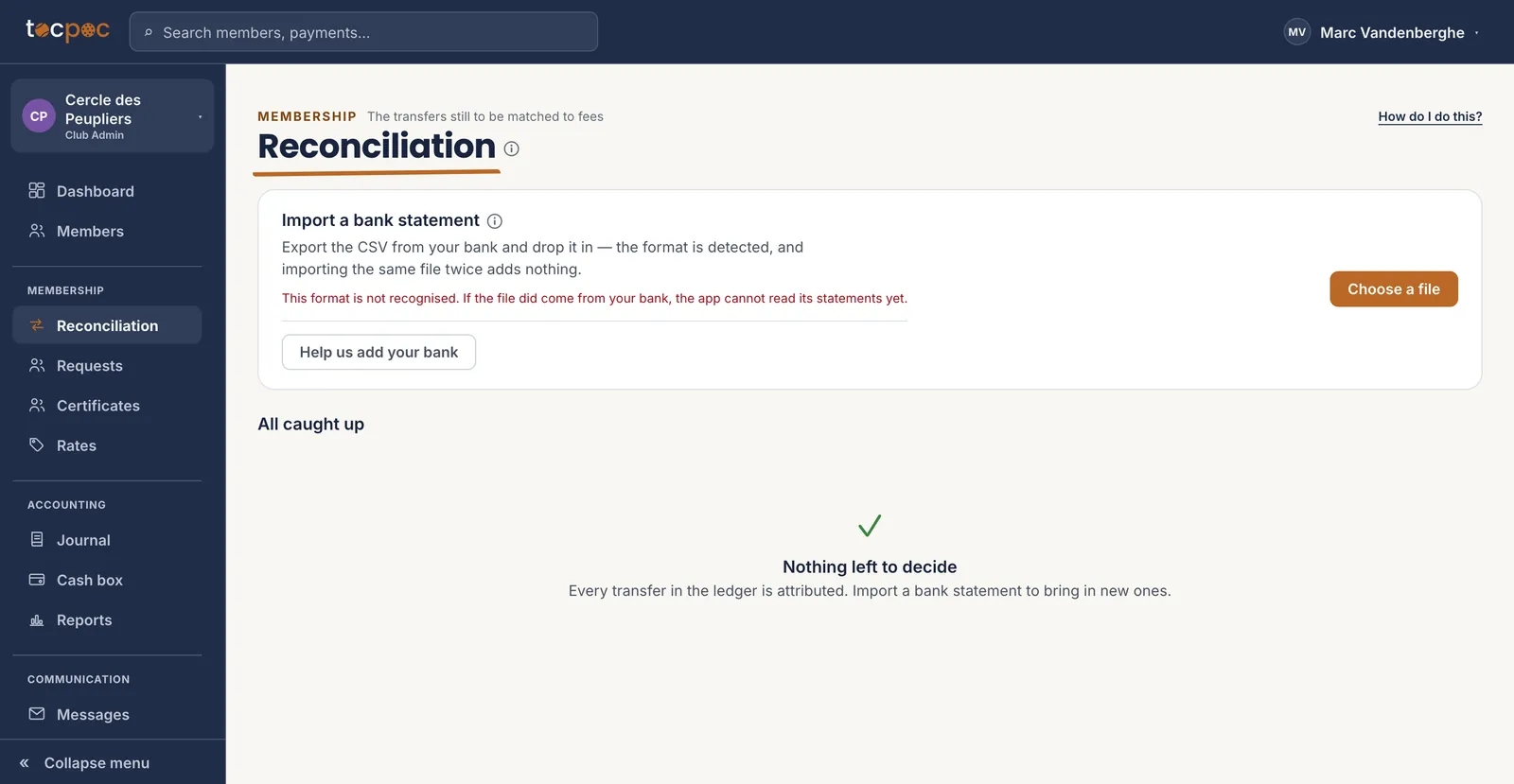 1This is not a mistake of yours
2The sample leaves anonymised
1This is not a mistake of yours
2The sample leaves anonymised
The file is not wasted : it is what gets your bank read, once and for all. - 1 This is not a mistake of yours
- 2 The sample leaves anonymised
-
After the import
What matched on its own
A transfer carrying the structured reference lands on its fee without anyone stepping in. That is what that string of digits is for, and why the reminders put it front and centre.
The others are offered to you with the reason shown : the payer’s name matches, the amount matches their fee exactly. You confirm in one click, or you decide otherwise.
An account already known for a single member attributes on its own. A shared account — a couple, a parent paying for two — suggests and never decides : it is the only way not to put one person’s fee on another’s back.
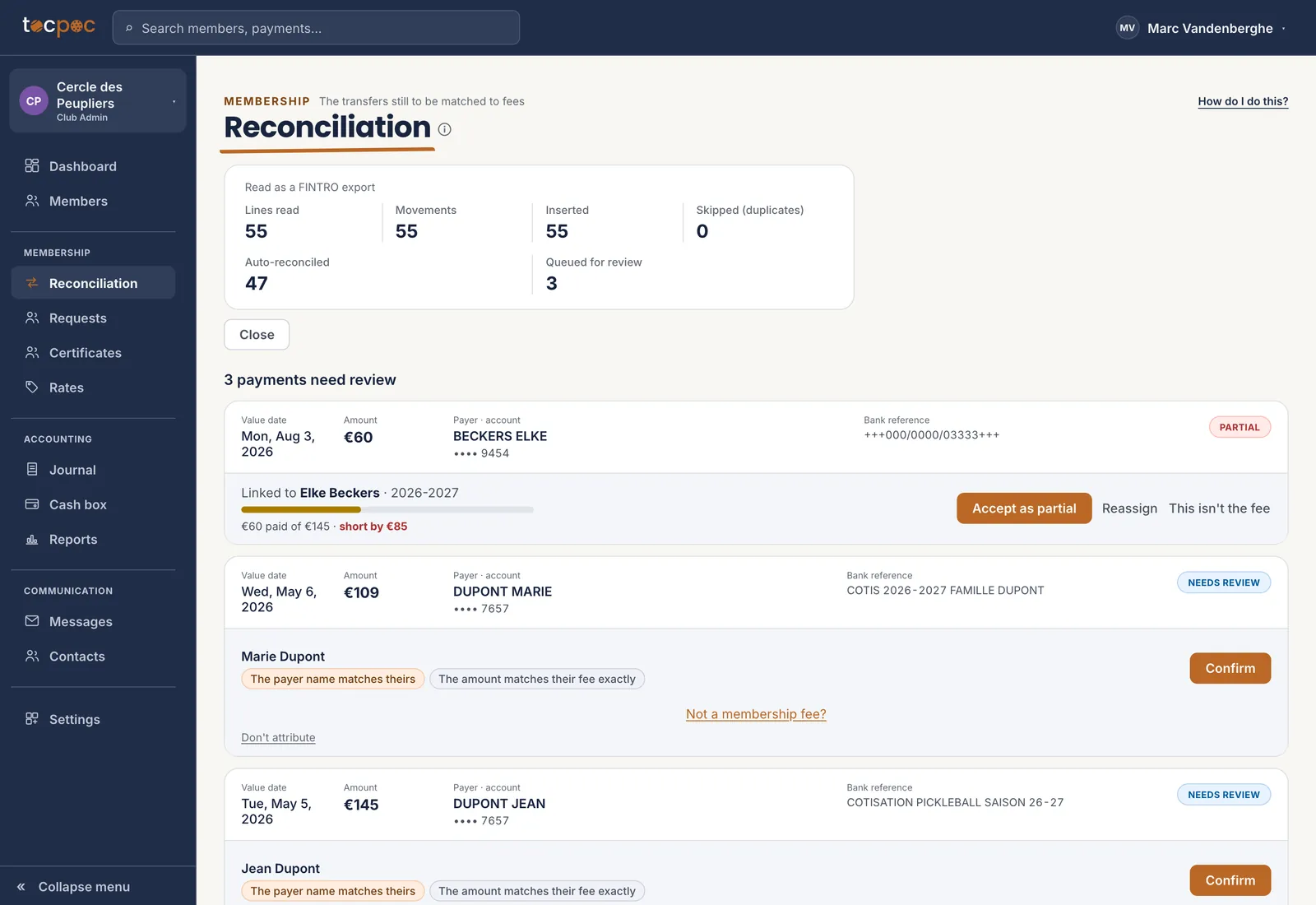 1What was read
2What is left to decide
1What was read
2What is left to decide
The statement has been read, line by line. Three payments still need a judgement. - 1 What was read
- 2 What is left to decide
-
Accounting · Journal
The rest is not lost
A transfer that is not a fee — the bar takings, a hall rental, a municipal grant, an equipment invoice — is not rejected. It drops into the journal, with its date, its amount and the text the bank printed.
All that is left is to give it its category. The end-of-season income statement is built on that, without anyone retyping an amount.
The journal is also the proof : every line comes from a bank statement, not from a keystroke. That is what an auditor asks to see.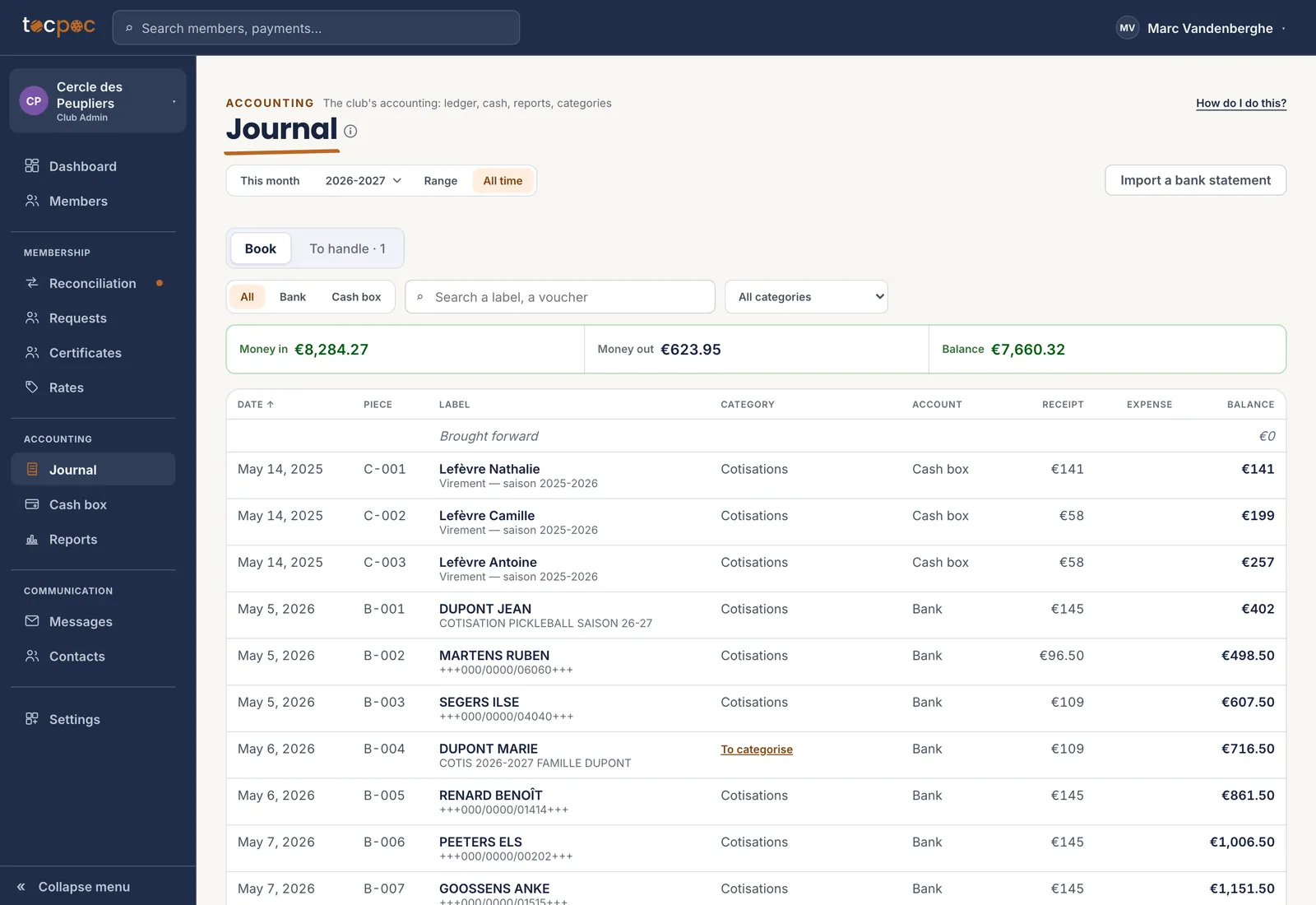 1What came into the account
2The movement’s category
1What came into the account
2The movement’s category
Everything that went through the account is there, fees included. - 1 What came into the account
- 2 The movement’s category
The 5 steps
- Go and get the statement
- Drop the file in
- Have your bank added
- What matched on its own
- The rest is not lost
All the help pages
The pages to forward to your members are in the members’ help, in English, French, Dutch and German.