
-
Dashboard
See what is waiting
This is the home screen, and it serves one purpose : to say what is left to do. The band at the top lists the open jobs, and each pill is a link to the screen that clears them.
On day one it is empty, of course. It fills up as you go : profiles to complete, transfers to attribute, unpaid fees.
Come back here before every committee meeting. What it shows works as the agenda for the administrative part.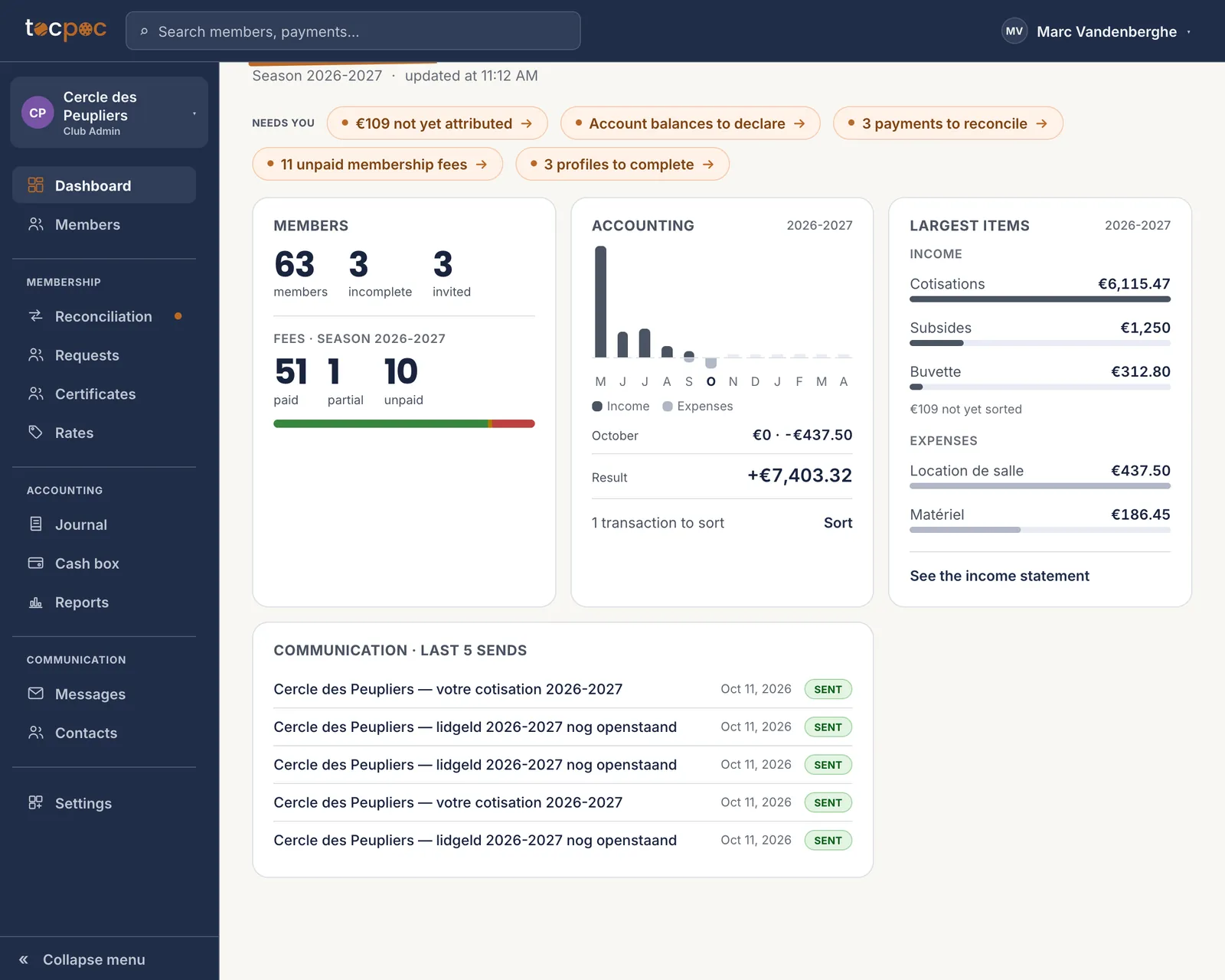 1What is left to do
2Where your fees stand
1What is left to do
2Where your fees stand
Nothing to configure here : the screen is built from what is left lying around elsewhere. - 1 What is left to do
- 2 Where your fees stand
-
Membership · Rates
Open the season, then write your rates
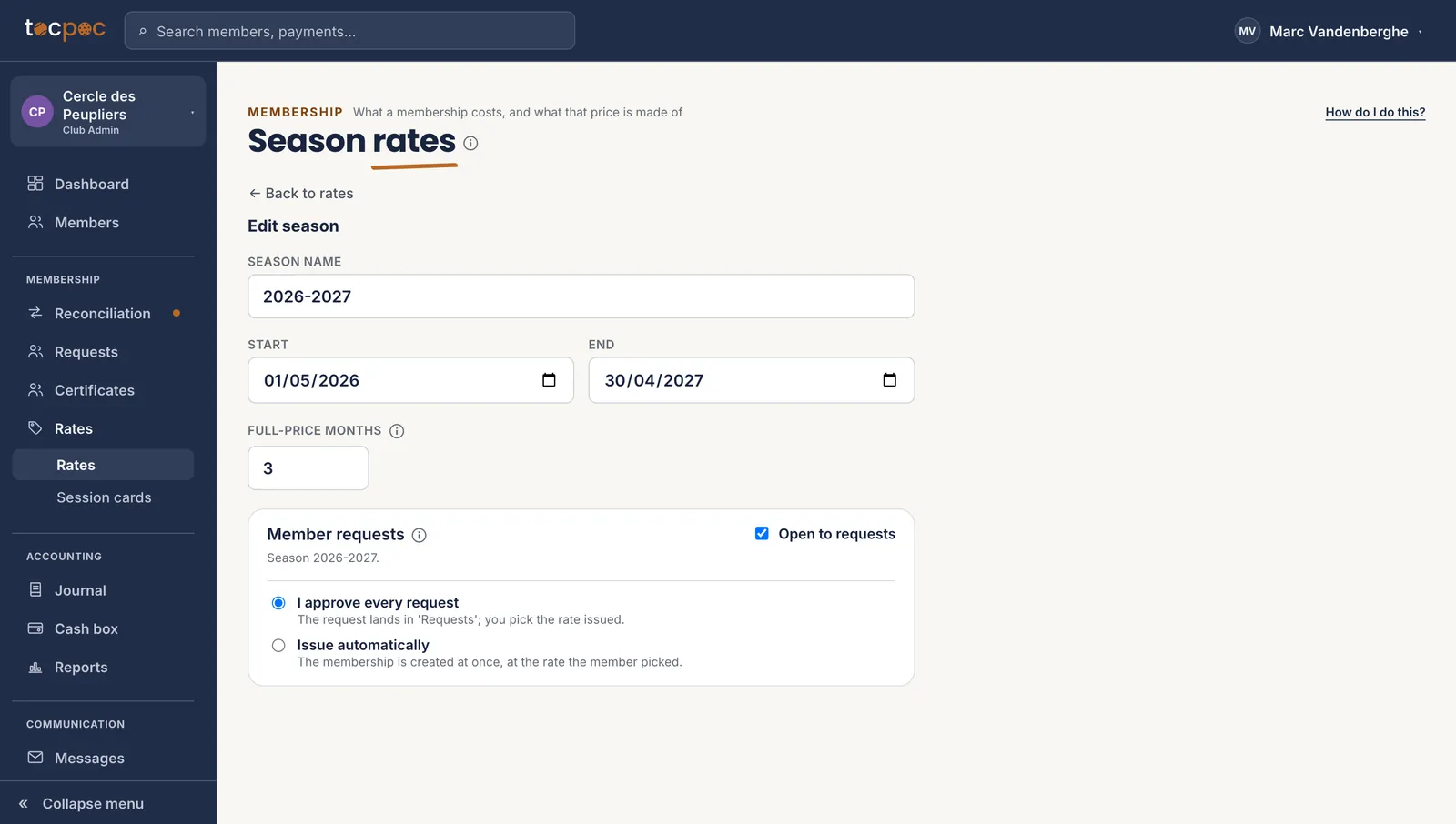
Start here, before the members. The season’s dates bound the pro rata : a member joining in January does not pay the whole year, and the calculation starts from those two dates.
A rate is a list of lines — club fee, federation affiliation, household discount as a negative — and each line says for itself whether it is prorated. That is data, not a hidden rule : a federation affiliation is paid in full even mid-year, and you are the one who declares it.
The detail is here : set up your season and your rates, step by step.
 1The dates bound the pro rata
2Open to members, or not
1The dates bound the pro rata
2Open to members, or not
Two dates, and the question of who picks the rate : you, or the member. - 1 The dates bound the pro rata
- 2 Open to members, or not
-
Members
Bring your list in
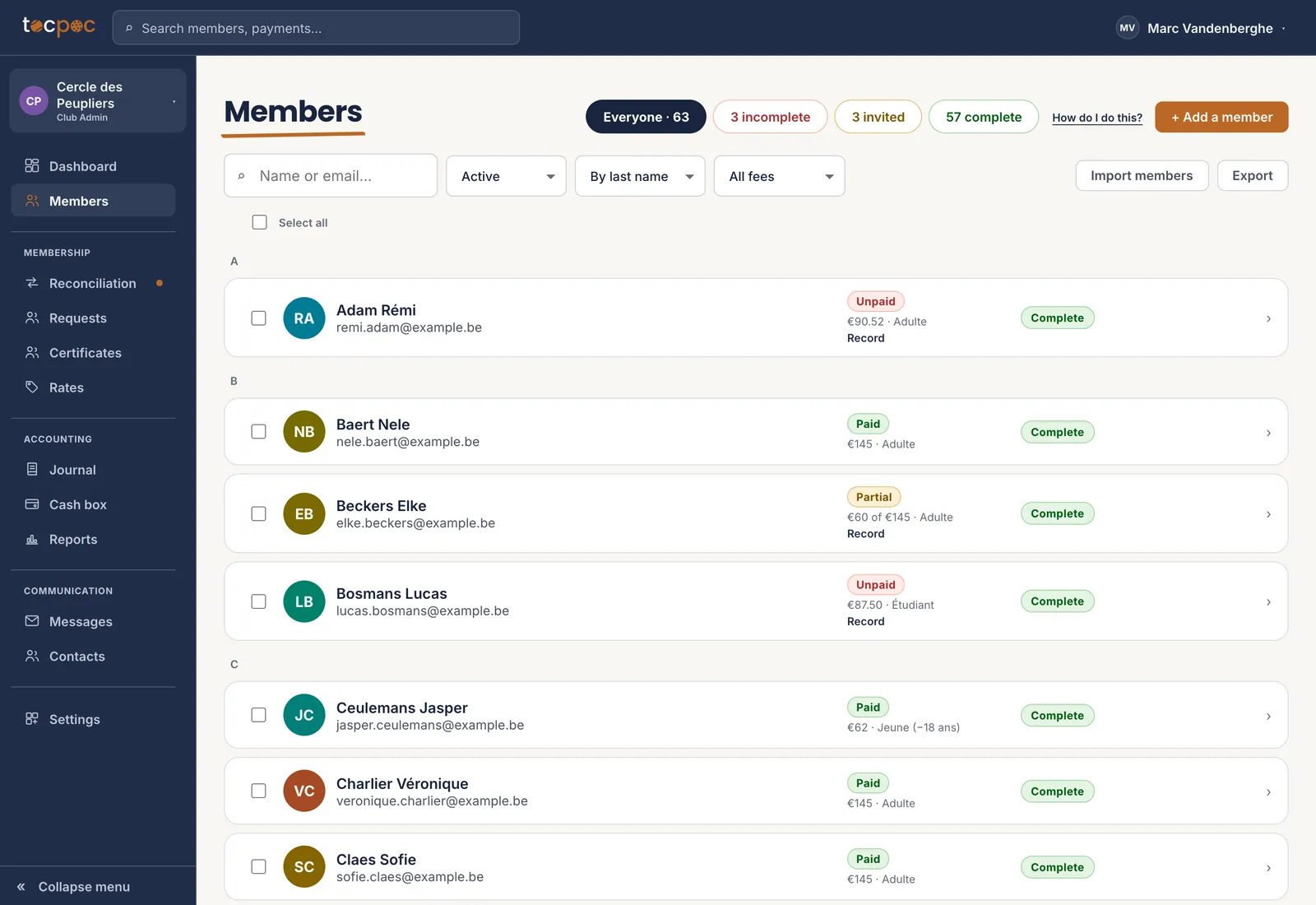
Start from the file you already have, exported as CSV. One line per person, a header row first, and above all the email address : that is what lets the member open their space and complete their own profile.
Do not fill the profiles in for them. It takes a long time, you do not have the right details, and the « Invite to complete » button exists exactly for that.
The detail is here : import your member list, step by step.
 1The file comes in here
The counters at the top are filters : they say what is missing, and take you there. - 1 The file comes in here
-
Members · Selection
Assign the fees
Importing members does not give them a fee : those are two moves, and the second one happens in bulk. Tick the members concerned, then « Assign a membership » at the rate you want.
The pro rata is worked out person by person, from each one’s joining date. The amount and the structured reference are frozen at that moment : a rate you correct in March does not rewrite what a member signed up for in September.
If you opened the season to requests, you can also assign nothing at all : members pick their rate and you approve.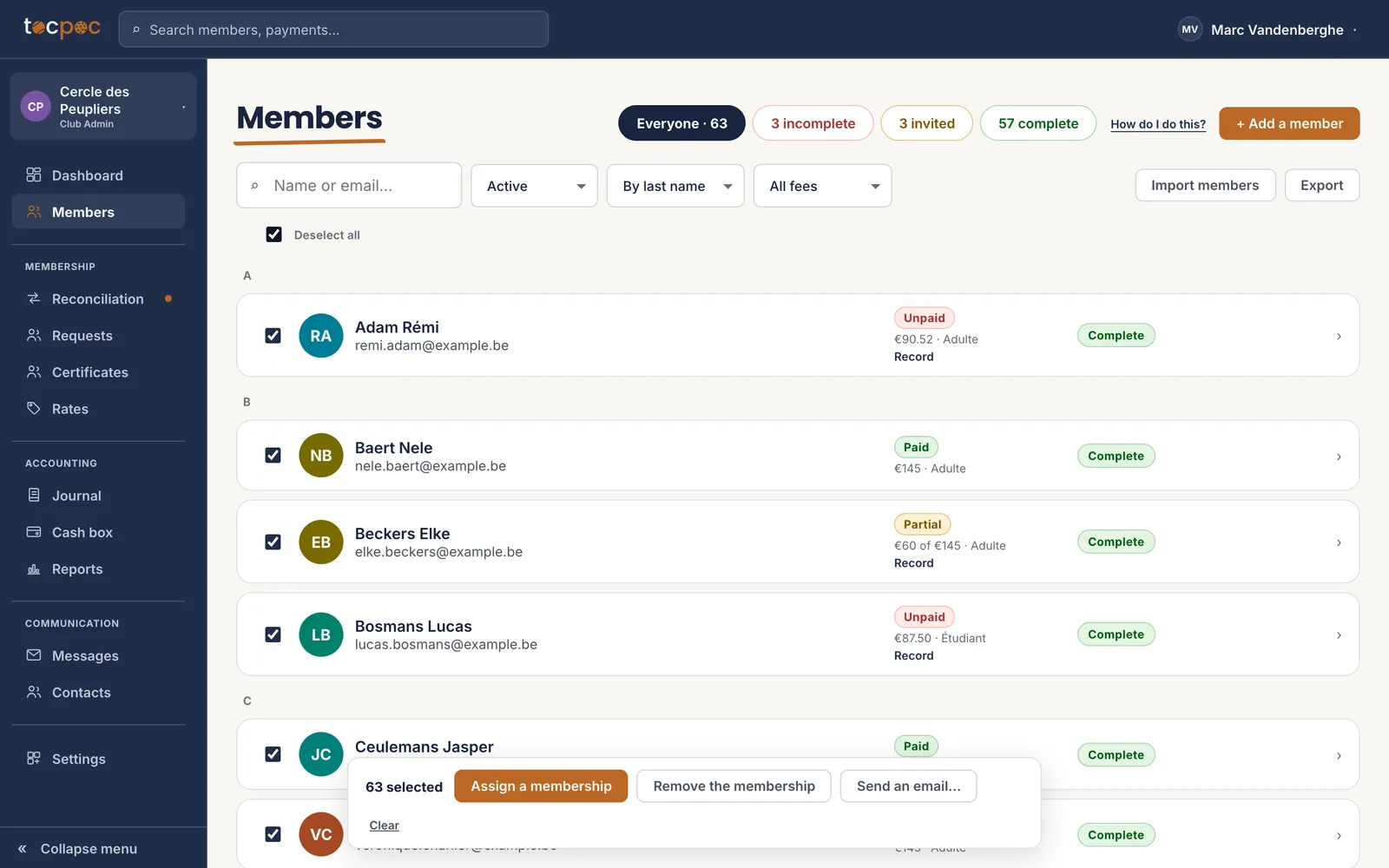 1Tick the whole list
2Assign to the whole selection
1Tick the whole list
2Assign to the whole selection
Sixty-three fees in one move, each at its own pro rata. - 1 Tick the whole list
- 2 Assign to the whole selection
-
Membership · Reconciliation
Drop the statement, and let it work
The fees are due, the transfers will arrive. Drop your bank’s CSV : transfers carrying the structured reference land on their fee without anyone stepping in, and the others are offered to you with the reason shown.
This is the move that comes back every month, and the only one that becomes a habit. The arrears then surface on their own, and the reminder goes out with the amount and the reference already in it.
The detail is here : import your bank data, then chase unpaid fees.
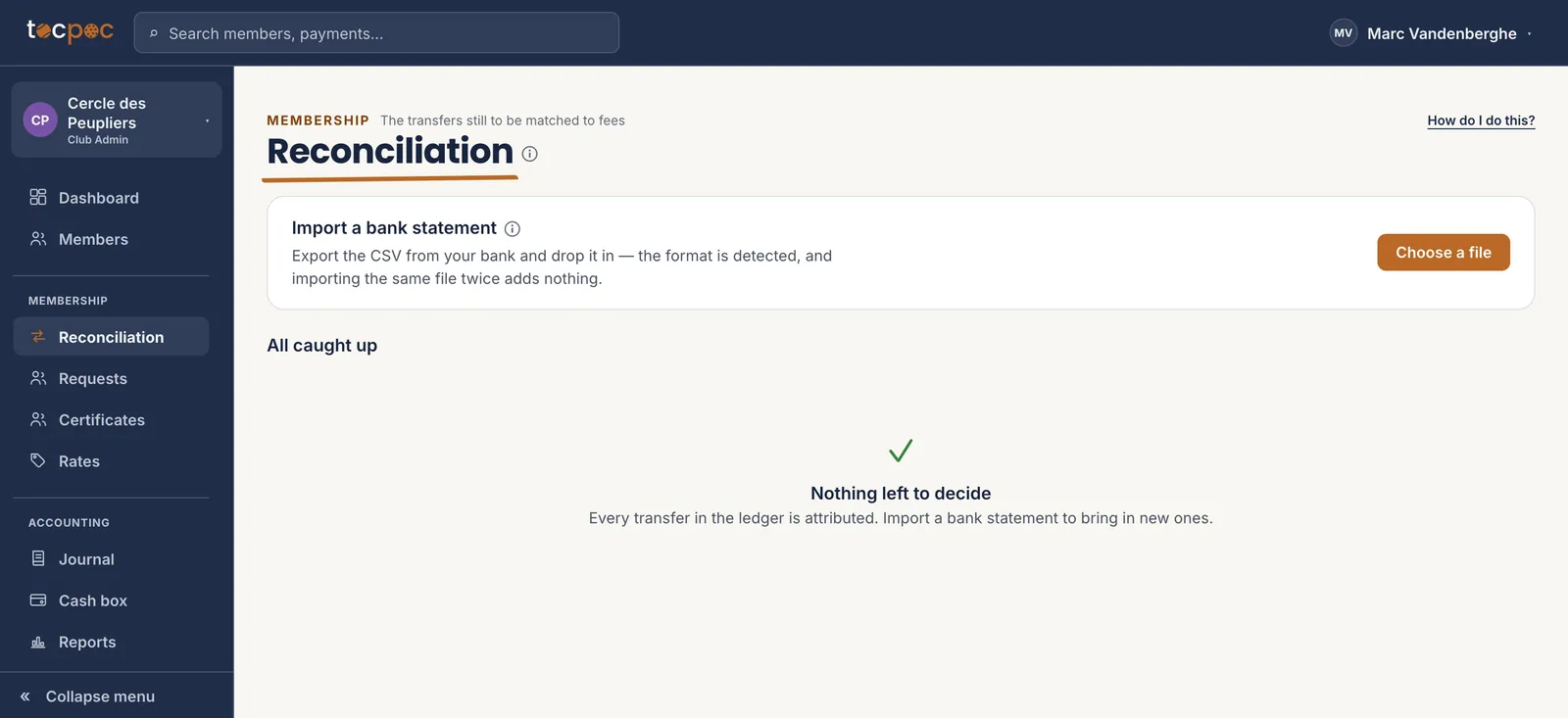 1Every month, the same move
One file a month, and the queue of payments to decide melts away on its own. - 1 Every month, the same move
The 5 steps
- See what is waiting
- Open the season, then write your rates
- Bring your list in
- Assign the fees
- Drop the statement, and let it work
All the help pages
The pages to forward to your members are in the members’ help, in English, French, Dutch and German.