
-
Tournament · Compose · Overview
Follow the chain: format, schedule, sending
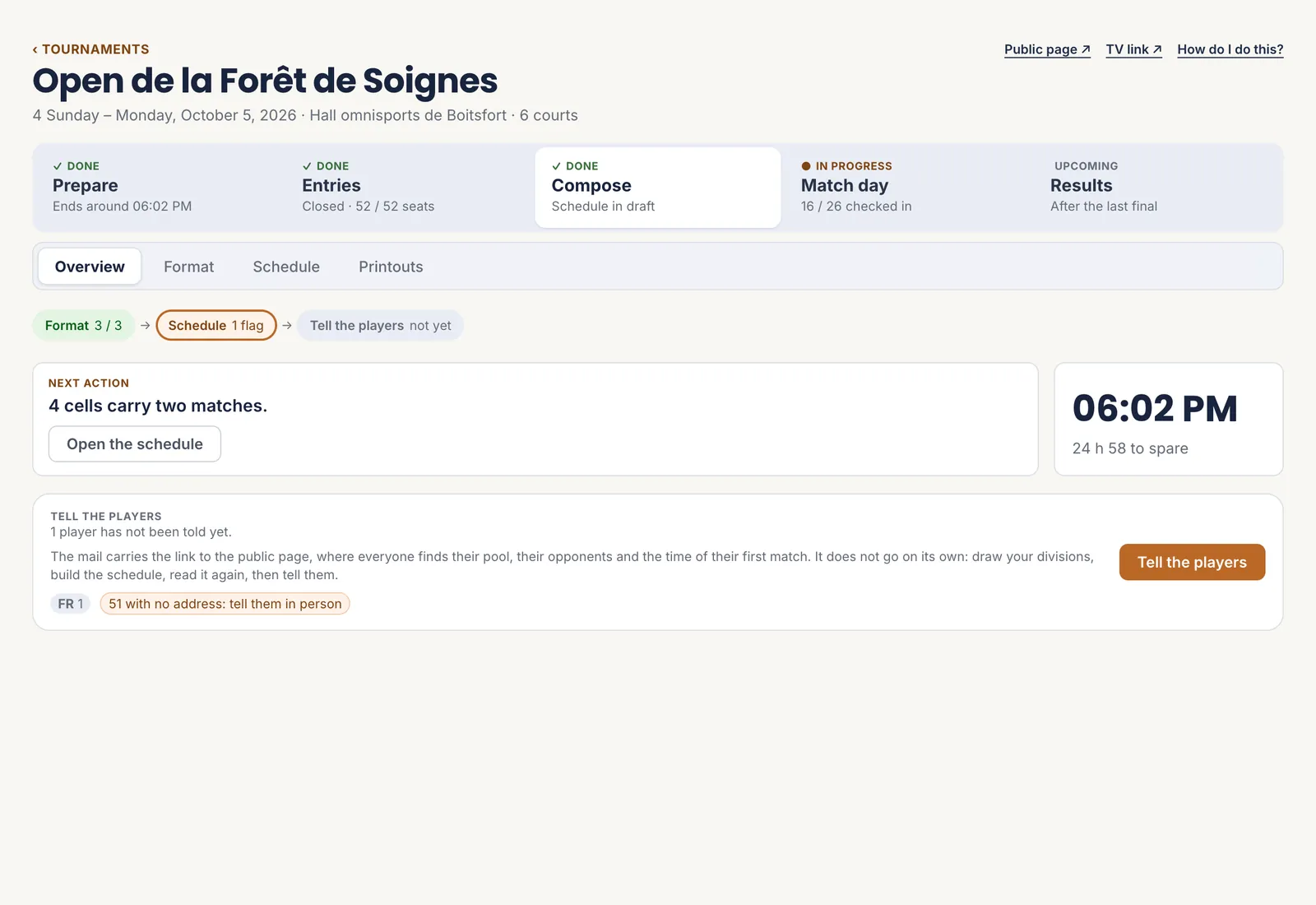
The “Compose” overview shows three links: each division’s format, the schedule, the message to players. Each says where it stands: “3 / 3”, “1 warning”, “not yet”.
The “Next action” names what is stuck — matches with no slot, a cell holding two matches — and takes you to the screen where it gets fixed. On the right, the expected finishing time and the margin left.
 1The chain
2The next action
1The chain
2The next action
A link circled in orange needs your attention. - 1 The chain
- 2 The next action
-
Tournament · Compose · Format
Choose the format and draw
Choose the event at the top, then build its format on the right, stage by stage: pools, single elimination, double elimination, placement matches. For pools: how many, how many qualify from each, and the best runners-up. A third-place match is a tick box.
Before saving, the pools are shown as a draft: drag a pair onto another pool to move it there. Nothing is written until you save. “Save” makes the draw: the snake spreads the ranked pairs so that the strongest do not meet in a pool.
Once the pools are drawn, each pair keeps “Replace”, for an injured player, and “Withdraw”.
- Several levels you split yourself? The “Placement” tab appears before “Format”: each pair gets a division suggested from its rating, which you change if needed.
- A tournament that came from a simulation suggests the simulated format, recalculated on the pairs actually entered.
Redoing a draw erases the previous one, including swaps made by hand. Once a match has started, the draw can no longer be changed.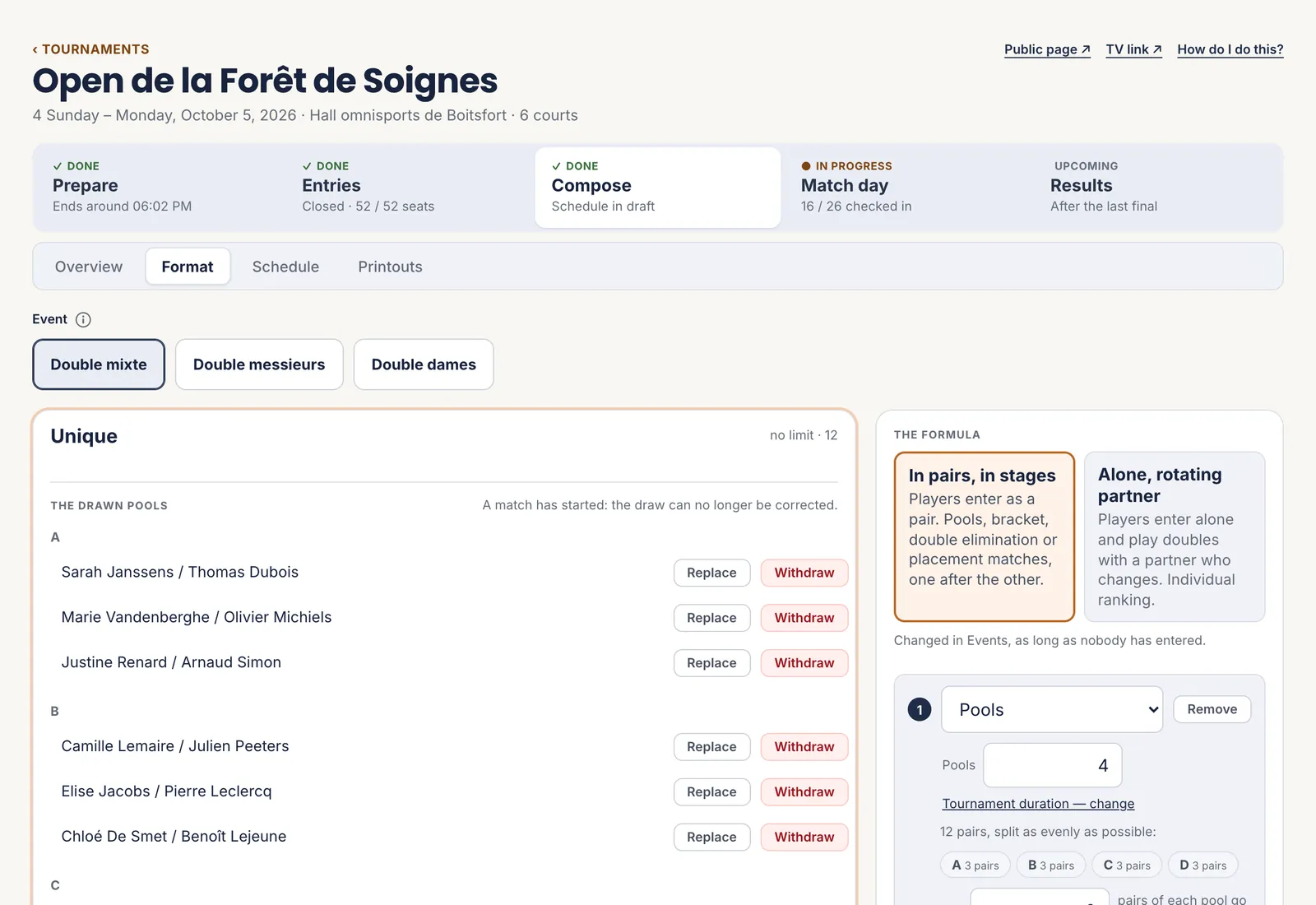 1The format
2The pools drawn
3Replace, Withdraw
1The format
2The pools drawn
3Replace, Withdraw
The format is built stage by stage; the preview says how many matches it gives. - 1 The format
- 2 The pools drawn
- 3 Replace, Withdraw
-
Tournament · Compose · Schedule
Lay out the schedule
The schedule puts each match on a court at a time, from the pace set under “Settings”. Three variants are offered:
- Compact finishes earliest.
- Rested lets players breathe: whoever has waited longest goes first.
- Grouped plays one event after another: less back and forth for its players.
You can always take over: drag a match on the grid, it snaps to five-minute steps. “Lay out the matches yourself” puts a whole batch on a court, from a given time.
What is wrong shows in red above the grid: a court booked twice, a player expected elsewhere, a match placed before the end of the one it depends on.
“Rebuild” places the matches that have no time yet and leaves the others alone. If players have already been told, tell them again.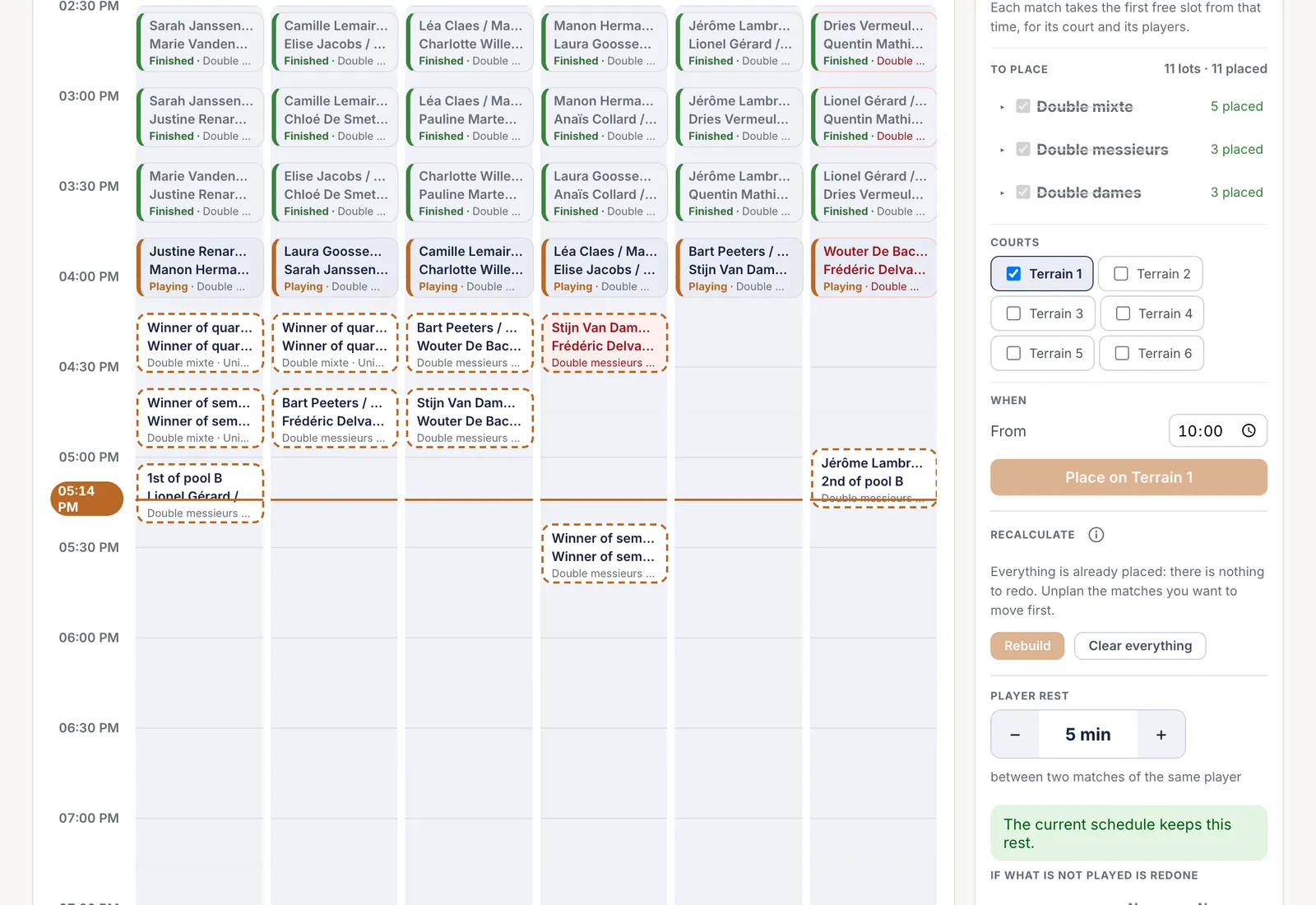 1What is wrong
2Lay them out yourself
3Recalculate
1What is wrong
2Lay them out yourself
3Recalculate
The orange line is the current time; dotted cells are still waiting for their players. - 1 What is wrong
- 2 Lay them out yourself
- 3 Recalculate
-
Tournament · Compose · Overview
Tell the players
Happy with the schedule? “Tell the players” sends each one an email with the link to the public page, where they find their pool, their opponents and the time of their first match.
It never goes out by itself: draw, lay out, read through, then tell. A player with no email address is flagged; tell that one in person.
After a change of schedule, “Tell them again” sends the new times.
1Who will be told
2Send
The badges count players by language, and those to tell in person. - 1 Who will be told
- 2 Send
-
Tournament · Compose · Printouts
Print the sheets and the day roster
What to print: the whole tournament is ticked by default. For a single event, level or pool, untick the rest in the tree on the left. The choice applies to every sheet, and its name is written on the day roster and the court sheets.
The sheets: match sheets, two per page, for matches players referee themselves; refereed sheets; court sheets. The file carries your matches, your logo and the club’s name.
The day roster: who plays that day, in alphabetical order, with the time of their first match, their court and a box to tick on arrival.
A match with no time appears on no sheet. Print after the schedule, not before.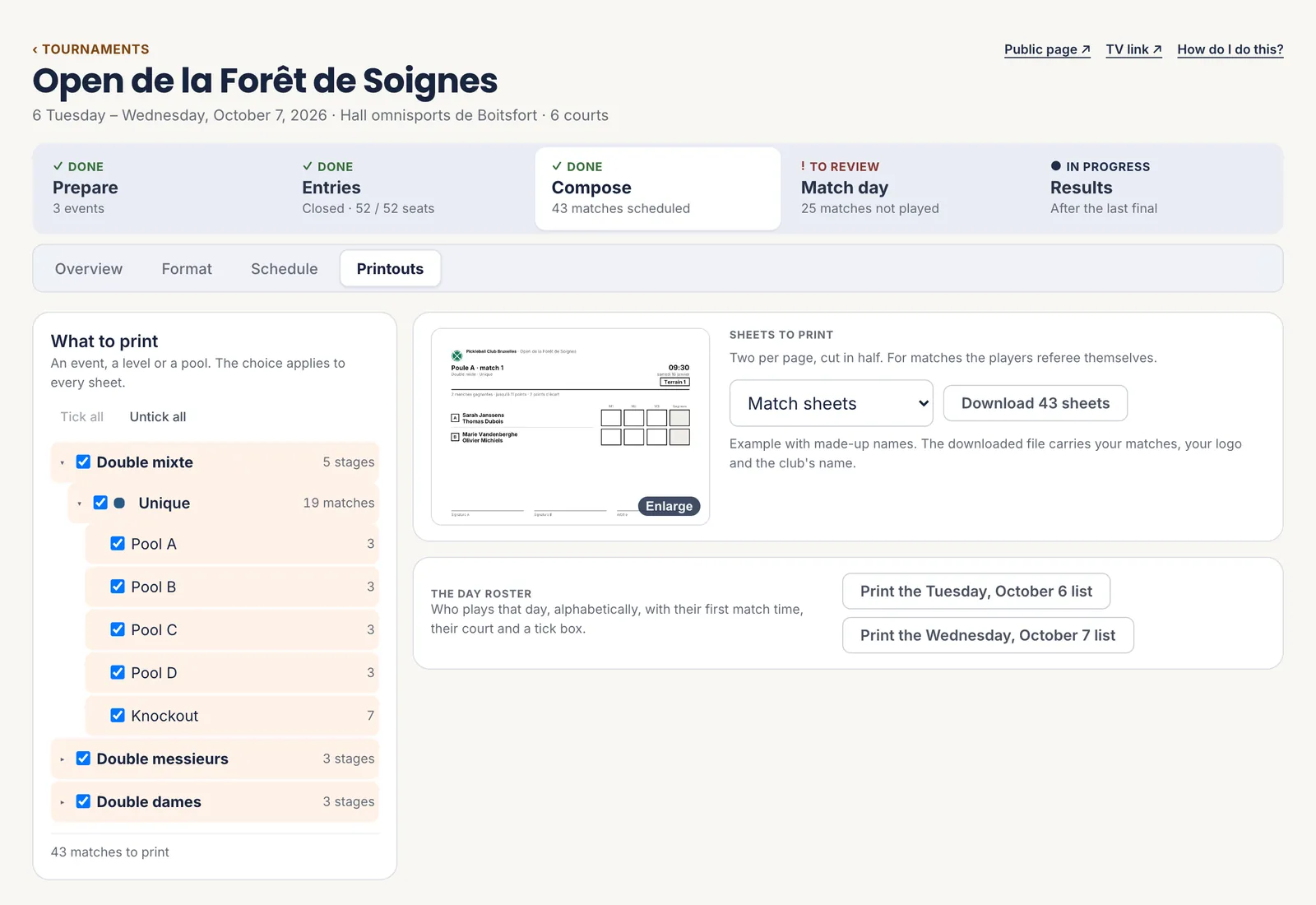 1What to print
2The sheets
3The day roster
1What to print
2The sheets
3The day roster
One roster per tournament day. - 1 What to print
- 2 The sheets
- 3 The day roster
The five steps
- Follow the chain: format, schedule, sending
- Choose the format and draw
- Lay out the schedule
- Tell the players
- Print the sheets and the day roster
All the help pages
The pages to forward to your members are in the members’ help, in English, French, Dutch and German.